Structured Data Generator
JSON-LD for Search & AI
Fill in a form, get valid schema markup. Build Organization, LocalBusiness, Article, Product, Event, FAQPage and more, link them into one @graph, and see which properties Google calls required or recommended. 100% client-side. Zero data stored.
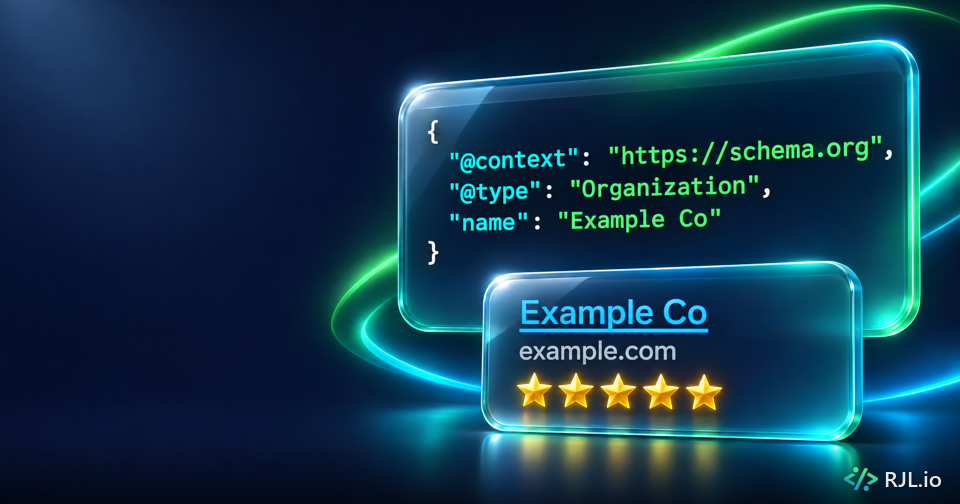
Structured Data Generator Tool
Add an item
Add as many items as the page needs. Items that link to each other (an article and its author, a site and its publisher) are tied together with @id. Only mark up what a visitor can see on the page.
Pick a type above to start, or load the example to see an Organization, WebSite, Person and Article linked together.
JSON-LD
Paste it into the <head> or <body> of the page it describes. Then test it with Google's Rich Results Test and the Schema Markup Validator.
Common Use Cases
Home page identity
Describe your company and your site once, with the name, logo and profile links you want search engines and AI assistants to connect to you.
Local shops and offices
Publish your address, phone number, opening hours and map coordinates in a form machines read the same way every time.
Blog posts and news
Mark the headline, dates, images and author of each article, and link the author and publisher so they are the same entity everywhere on your site.
Product pages
State the price, currency and availability, and the rating and reviews that are on the page, so a shopper's search can show them.
Events and apps
Describe a meetup, class or conference with its dates, venue and tickets, or a web and mobile app with its price, platform and rating.
Breadcrumb trails
Spell out where a page sits in your site (Home, Guides, This page) so search results can show the path instead of a long URL.
What Google Asks For
Checked against Google Search Central's own pages on November 27, 2026. Valid markup makes a page eligible for a rich result; Google does not guarantee one.
Two rich results are gone
HowTo rich results stopped appearing in Google Search on every device in September 2023. FAQ rich results were cut back to well-known government and health sites in August 2023, and stopped appearing for everyone on May 7, 2026. FAQPage is still valid schema.org markup, but Google no longer gives it an expandable result. Read Google's 2023 announcement and the notice on its FAQ page.
Organization
Required: none. Recommended: name, url, logo, description, address, contactPoint, sameAs, legalName, foundingDate and a few more.
LocalBusiness
Required: name, address. Recommended: geo (five decimal places), openingHoursSpecification, telephone, url, priceRange, servesCuisine and menu for food businesses.
Person
Google's gallery has no standalone Person feature; it has a Profile page feature for author pages. Person is still how you name an author and link them to articles.
WebSite
Required: name, url (the canonical home page). Recommended: alternateName. Google reads it for the site name, and only from the home page.
Article, BlogPosting, NewsArticle
Required: none. Recommended: headline, image, datePublished, dateModified, author (with name and url).
Product
Required: name, plus one of offers, aggregateRating or review. An Offer needs a price. Recommended: priceCurrency, availability, priceValidUntil. A rating needs a value and a rating or review count.
FAQPage
No longer shown as a rich result in Google Search (see the note above). Valid when every question and answer on the page is marked up, and visible.
BreadcrumbList
Required: at least two ListItems, each with a position and a name. Every item needs a URL except the last, where Google uses the page URL.
Event
Required: name, startDate, location with a street address. Recommended: endDate, eventStatus, description, image, offers, performer, organizer, venue name.
SoftwareApplication, WebApplication, MobileApplication
Required: name, offers.price (0 for free), and one of aggregateRating or review. Recommended: applicationCategory (one of the 22 values Google lists, such as DeveloperApplication or UtilitiesApplication) and operatingSystem. A VideoGame alone gets no rich result; pair it with another type.
How @graph and @id work
An @graph holds several things in one block. Each gets an @id (a URL plus a fragment, like https://example.com/#organization), and other items point at it with {"@id": "..."} instead of repeating it. That is how an article names its author and publisher once, and keeps them the same entity across every page.
Google's ground rules
Do not mark up content visitors cannot see. The markup must be a true representation of the page. JSON-LD is the format Google recommends. See Google's general structured data guidelines.
Frequently Asked Questions
Structured data is a block of facts about a page, written in the shared schema.org vocabulary, so a machine does not have to guess what your page says. JSON-LD is one way to write it: a script tag that holds JSON and sits apart from your visible HTML. It is the format Google recommends, and it is the easiest to generate and maintain because you never edit it into your page layout.
No. Valid markup makes a page eligible, and Google says it does not guarantee that a feature will show up in search results. Google also requires that you only mark up content visitors can see, and that the markup truly represents the page. Markup that breaks those rules can be ignored.
No. In August 2023 Google limited FAQ rich results to well-known government and health sites, and its FAQ documentation says the feature stopped appearing in Google Search on May 7, 2026. FAQPage is still valid schema.org markup, so you can keep it on a page whose questions and answers are visible, but do not expect an expandable result in Google.
Google stopped showing HowTo rich results on desktop and mobile in September 2023 and deprecated the result type, so generating HowTo markup would only help someone expect a result that no longer exists. Every type in this tool is one Google's documentation still describes, plus Person, which Google has no rich result for but which names the author of an article.
They follow Google Search Central's tables for each type. Required means Google will not consider the page for that rich result without it. One of a group means at least one of several properties must be present, such as offers, aggregateRating or review for a Product. Recommended means the markup is valid without it but gives Google more to work with. Types where Google lists nothing as required, like Organization and Article, show only Recommended.
A single @graph is tidier when items refer to each other: an article points at its author and publisher by @id and nothing is repeated. Separate blocks are fine when the items are unrelated, and they are the safer choice if your CMS or plugin only accepts one type per block. In separate mode this tool copies a linked item into each block that uses it, so every block stands alone.
Tick Wrap in script tag, copy the result and paste it into the head or body of the page it describes. Each page should carry markup for what that page is about. WebSite markup for the site name belongs on the home page, because Google only reads it from there. Keep the markup consistent with the visible page, and update both when the page changes.
It states facts about a page, such as who published it, when, and what a product costs, in a form no one has to interpret. That is useful to any system that reads your page. We do not know of a promise from any search engine or AI company that markup earns a citation or a better position, so treat it as clear labeling and not a ranking trick. Visible, well-written content matters just as much.
Paste the page URL or the code into Google's Rich Results Test to see which rich results the page is eligible for, and into the Schema Markup Validator to check it against schema.org itself. The Rich Results Test only covers features Google supports, while the Schema Markup Validator checks any schema.org type. This tool's checks list what Google's documentation requires, but the official tests are the final word.
No. The JSON-LD is built in your browser with JavaScript. Nothing you type is uploaded, logged or saved, and it is gone when you close the page. The tool does not put what you type into share links either.
Why We Built This Structured Data Generator
Most schema generators hand you a block of JSON and stop there. They do not tell you which properties Google treats as required, they happily produce FAQ and HowTo markup long after Google stopped showing those results, and they leave you to work out how an article should point at its author. We built this one to be straight about all three: each field is marked Required, One of a group or Recommended from Google's own documentation, retired features carry a plain note, and linked items are tied together with @id for you.
Markup is only worth publishing when it matches the page. That is why every type here asks for facts you can see on the page, why the checks panel names exactly what is missing, and why nothing you type leaves your browser. Structured data is clear labeling for search engines, AI assistants and anything else that reads your page. It is not a promise of a rich result or a better position, and we say so.
The Structured Data Generator is part of RJL.io's collection of free developer tools. Audit a live page with the SEO Analyzer, write your social and search tags with the Meta Tag Generator, decide which crawlers may visit with the robots.txt Generator, give AI assistants a map of your site with the llms.txt Generator, or tidy the result with JSON Tools.