SQL Playground
Query a CSV in Your Browser
Drop in a CSV, TSV, JSON or SQLite file and run real SQL. Filter, join and group your data with SQLite running in WebAssembly, check the inferred column types before you import, then export a result as CSV or JSON. Nothing is uploaded and nothing is kept after you close the tab.
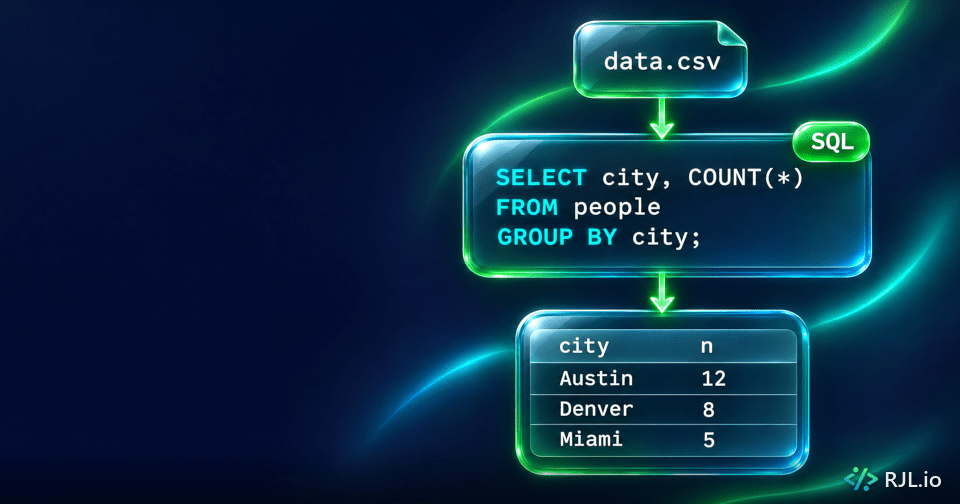
SQL Playground Tool
Load your data
Drop CSV, TSV or JSON files anywhere on this box (each becomes a table), open a .sqlite file, or start from the sample database. Files are read on your device and are never uploaded.
100% client-side. The SQLite engine (about 0.7 MB of WebAssembly) downloads once, the first time you run a query or load data. Your tables live in this tab's memory and are gone when you close or reload it. Up to 25 MB per CSV, TSV or JSON file and 100 MB for a .sqlite file.
Press Ctrl+Enter (Cmd+Enter on a Mac) to run. Selected text runs on its own.
Results
Run a query to see rows here.
Common Use Cases
Filter and Sort a Spreadsheet Export
Find the rows you need in a file that is too big or too messy for a spreadsheet filter, with WHERE, ORDER BY and LIMIT instead of scrolling.
Join Two Files
Load customers.csv and orders.csv as two tables and JOIN them on a shared id, the lookup that VLOOKUP does badly and slowly.
Totals and Reports
GROUP BY month, region or product, add running totals with window functions, and export the result as CSV for a chart or a slide.
Check Data Quality
Count duplicates with GROUP BY and HAVING, find empty values with IS NULL, and compare two exports before they go into a production database.
Learn and Teach SQL
Practice joins, subqueries and window functions on the sample database with nothing to install and nothing that can break.
Confidential Data
Query payroll, customer or finance exports without uploading them anywhere. The file is read by your browser and the tables disappear when the tab closes.
Import Rules and SQLite Quick Reference
How a Column Gets Its Type
| Cells in the column | Type | Why |
|---|---|---|
| 1, 42, -7 | INTEGER | Whole numbers JavaScript can hold exactly |
| 3.5, 4, 1e3 | REAL | Any number with a decimal point or exponent |
| 00501, 02134 | TEXT | A leading zero marks a ZIP code or ID, so it is kept |
| 9007199254740993 | TEXT | Too large to hold exactly, so it stays text |
| 2026-03-31 | TEXT | SQLite has no date type; ISO dates sort and compare correctly as text |
| (empty) | NULL | Empty cells become NULL unless you turn that off |
SQLite Quick Reference
| To do this | Write this |
|---|---|
| Quote a name | "first name" |
| Write a text value | 'Austin' |
| Join the first 10 rows | ... JOIN b ON b.id = a.b_id LIMIT 10 |
| Month from an ISO date | substr(d, 1, 7) |
| Cast text to a number | CAST(x AS INTEGER) |
| Running total | SUM(x) OVER (ORDER BY d) |
| List the columns of a table | PRAGMA table_info(t) |
| Show the plan for a query | EXPLAIN QUERY PLAN SELECT ... |
SQLite, not MySQL
The dialect is SQLite. Most SELECT, JOIN, GROUP BY, CTE and window-function syntax carries over, but functions such as DATE_FORMAT or ISNULL do not exist.
One query at a time
The engine runs on the page itself. A runaway query, such as an endless recursive CTE, freezes the tab until you close it.
Held in memory
Tables use your device's memory and are not saved. Download the .sqlite file before you leave if you want to keep them.
Capped display
The grid draws the first 1,000 rows and keeps up to 100,000 for export, so a huge result never freezes the page.
Frequently Asked Questions
Drop the file onto the box at the top or click Load CSV / TSV / JSON. Check the column names and types in the import preview, click Import, then write a query such as SELECT * FROM your_file LIMIT 10 and press Ctrl+Enter. The file becomes a table named after the file, and you can load several files and join them.
SQLite, the same engine inside most phones and browsers, compiled to WebAssembly. Joins, subqueries, common table expressions, window functions, JSON functions and aggregate functions all work. MySQL, PostgreSQL and SQL Server specific syntax, such as DATE_FORMAT, ILIKE or TOP, does not, and there are no stored procedures or users.
No. Your browser reads the file, and the database engine runs on your device. The only thing downloaded is the engine itself, which is the same for everyone. Nothing you load, type or export is sent to a server, logged or stored.
No. Tables and query history live in this tab's memory only, so closing or reloading the tab erases them. That is the privacy promise, and also the catch: click Download .sqlite before you leave if you want to keep your tables, then open the file here next time.
A column is INTEGER when every filled cell is a whole number, REAL when every filled cell is a number, and TEXT otherwise. Values with a leading zero, such as ZIP codes, and numbers too big to hold exactly stay TEXT. The import preview lets you rename each column and pick INTEGER, REAL or TEXT before anything is imported. Empty cells become NULL unless you turn that off.
Up to 25 MB for each CSV, TSV or JSON file, up to 1,000,000 rows per table, and up to 100 MB for a .sqlite file. Bigger files are refused with a message instead of freezing the tab. Everything is held in your device's memory, so a phone will manage less than a laptop.
Drawing hundreds of thousands of table rows would freeze the page. The grid draws the first 1,000 rows, a button adds 1,000 more at a time, and the row count above the grid is the real total. Export CSV and Export JSON include up to the first 100,000 rows of a result, and tell you when a result is longer than that.
Yes. Drop several files at once or load them one after another. Each becomes its own table, and the Tables list shows every table and column. Then write an ordinary JOIN, for example SELECT * FROM customers c JOIN orders o ON o.customer_id = c.id. If two files would get the same table name, the second is renamed, and you can change it in the preview.
Yes. Download .sqlite writes a standard SQLite 3 file that opens in DB Browser for SQLite, the sqlite3 command line, Python and most database tools. Open .sqlite loads any SQLite 3 file up to 100 MB and replaces the tables currently in the tab, so download first if you want to keep them.
Statements run in order, and the run stops at the first one that fails. The red box shows the statement that failed, the database error and a hint. Statements before it have already run and are not rolled back, so wrap a script in BEGIN and COMMIT if you want all or nothing. Each statement that returns rows gets its own result tab.
Why We Built SQL Playground
Most questions about a spreadsheet are really database questions: which customers ordered twice, what did each region sell by month, which rows in this export have no email. Answering them usually means installing a database, importing the file and hoping it guessed your column types, or uploading company data to a website you have never heard of. SQL Playground is for the case where you just want to ask the question and look at the answer.
It runs SQLite, compiled to WebAssembly, inside your browser tab. You see the column names and types it inferred before anything is imported, so a ZIP code is not quietly turned into a number, and you can rename or retype a column first. Failed statements are shown with the exact text that failed, large results are capped on screen so the page stays responsive, and nothing leaves your device or survives the tab, which makes it safe for payroll, customer and finance exports.
SQL Playground is part of RJL.io's collection of free developer tools. Turn a spreadsheet export into JSON first with the CSV to JSON Converter, tidy the result with JSON Tools, or compare two exports with the Diff Checker.