Add Page Numbers to PDF
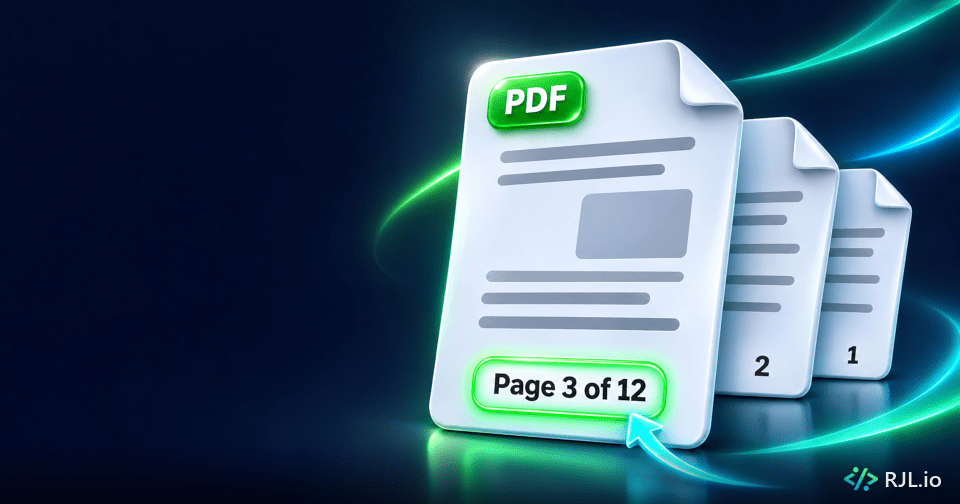
Page 3 of 12, Headers and Bates
Free online PDF page numbering. Put numbers in any of six positions, as 1, Page 1, 1 / N, Page 1 of N, Roman numerals or your own template. Start anywhere, skip the cover, add header and footer lines with the date, and stamp Bates numbers. A live preview shows the result on a real page, rotated pages included. 100% client-side - your file never leaves your browser.
PDF Page Numbering Tool
Drop a PDF file here
or click to browse
Max file size: 100MB
Live Preview
Upload a PDF to preview the numbers on a real page
Page Numbers
Use {n} for the number, {total} for the last number, {roman} or {ROMAN} for Roman numerals.
The number printed on the first numbered page
Set 2 to leave a cover page without a number
Pages left out still count, so each number matches the page's place in the document
Text Style
72 points is one inch. The margin is the distance from the edge of the page as you see it. The standard PDF fonts cover Western European text only.
Header and Footer (optional)
Leave a box empty to skip it. Tokens: {date}, {title}, {n}, {total}, {page}, {pages}.
Filled from the PDF's title or file name when you upload
Today's date on your device, written when you download
Bates Numbering
Every page of the PDF gets its own Bates number, counting up from the start value. If it shares a corner with the page number, the two are stacked, Bates on the outside.
Download
.pdf extension will be added automatically
Upload a PDF to begin.
Processing...
Privacy First: All processing happens in your browser. Your files are never uploaded to any server.
Common Use Cases
Number a Report
Add Page 3 of 12 to a report, proposal or thesis, leave the cover bare and start the first real page at 1.
Bates Stamp Legal Documents
Give every page of a production a unique identifier such as ACME-000123, counting up from the number you choose.
Front Matter in Roman Numerals
Number a preface or table of contents i, ii, iii by choosing Roman numerals and a page range, then do the body in plain numbers.
Number a Merged File
After combining several PDFs, number the whole thing once so the pages run in one sequence from start to end.
Keep Printed Pages in Order
Numbers on every page make a dropped stack easy to put back together, and a paper copy easy to refer to in a meeting.
Mark Pages Confidential
Put a footer such as Confidential, the date and the page number on every page in one pass.
Features and Reference
Six Positions
Top or bottom, and left, center or right, measured from the edge of the page as you see it.
Rotation and Size Aware
Sideways, upside-down, cropped and mixed-size pages all get the number where you chose, reading upright.
Live Preview
See the numbers on a real page of your file and step through the pages before you download.
Start Anywhere
Skip a cover, begin at any number, or number only a range of pages.
Headers and Footers
Left, center and right lines at the top and bottom, with the date and title filled in for you.
Bates Numbers
A prefix, zero-padded digits and a start value, on every page, in the corner you pick.
Template tokens
| Token | Becomes |
|---|---|
| {n} | The number printed on this page |
| {total} | The number the last page of the PDF carries |
| {page}, {pages} | This page's place in the file, and the file's page count |
| {roman}, {ROMAN} | {n} as i, ii, iii or I, II, III |
| {date} | Today's date, in the format you chose |
| {title} | The document title box |
Formats on a 12-page PDF, page 3
| Format | Printed |
|---|---|
| 1 | 3 |
| Page 1 | Page 3 |
| 1 / N | 3 / 12 |
| Page 1 of N | Page 3 of 12 |
| Roman numerals | III or iii |
| Custom - {n} - | - 3 - |
| Bates, prefix ACME-, 6 digits, start 100 | ACME-000102 |
What this tool cannot do: it draws numbers with the standard PDF fonts, so characters outside Western European text are replaced with a question mark. It does not change fonts already in your PDF, and it cannot edit a password-protected file. The numbers become part of the page content, so they can be selected as text but not removed with a click.
Frequently Asked Questions
Why We Built Add Page Numbers to PDF
A document without page numbers is hard to discuss, hard to cite and hard to put back in order. Reports, contracts, theses and legal productions all need numbers, and the PDF you were handed rarely has them, or has them wrong after a merge. Adding them should be a one-minute job, not a trip to an editor you have to buy.
Many online tools put numbers in one fixed spot and hand back a file that was uploaded, processed and stored on someone else's server. This tool numbers your PDF in your browser, so a confidential file never leaves your device, and it gives you the controls that real documents need: six positions, a start number, a skipped cover, a page range, Roman numerals, templates, headers, footers and Bates numbers.
The part that is easy to get wrong is placement. PDF pages carry their own size, an optional crop box and a rotation, so a scan stored sideways has its "bottom" on the side of the screen. This tool works from the page as a viewer shows it and turns the text to match, which is why a number chosen at the bottom center lands at the bottom center of every page, whatever its orientation. The live preview is drawn from the same layout, so what you see is what you download.
Page numbering fits naturally with the other PDF tools here. Combine files first with Merge PDFs, fix sideways scans with the PDF page rotator, divide a numbered document afterwards with Split PDF, or add a large mark across each page with the PDF Watermark tool.
Add Page Numbers to PDF is part of RJL.io's collection of free tools, each designed to do one thing well, with no accounts, no tracking and no uploads. Also try PDF Stamp, PDF Metadata and Extract PDF Pages.