Number Base Converter
Binary, Octal, Decimal, Hex
Type in any field and the rest follow. Convert whole numbers between binary, octal, decimal, hex and any base from 2 to 36 with exact big numbers, negative values, a clickable two's complement bit view, and text to bytes. 100% client-side. Zero data stored.
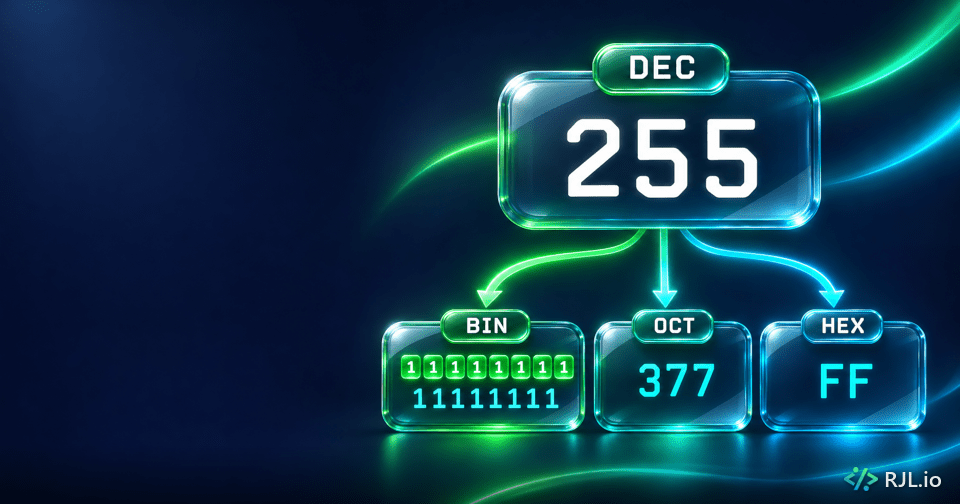
Number Base Converter Tool
Number
Bit View and Two's Complement
Click a bit to flip it. The leftmost bit is the most significant. A negative number is shown in two's complement.
- Read as unsigned
- 0
- Read as signed (two's complement)
- 0
- Hex of the bit pattern
- 00000000
Text and Bytes (UTF-8)
Text is encoded as UTF-8, so an accented letter takes two bytes and an emoji takes four. Edit either box and the other follows.
Common Use Cases
Bit Flags and Masks
Read a permission or feature mask such as 0x1F as binary, then click bits to see which flag you turn on or off.
Embedded and Low-Level Code
Check register values, memory addresses and opcodes in hex, and see the 8, 16, 32 or 64 bit pattern behind them.
Negative Numbers
See why -1 is 0xFF in one byte, and how the same bits read as 255 unsigned or -1 signed.
Computer Science Homework
Check your base conversions by hand against an exact answer, in any base from 2 to 36.
Debugging Big IDs
Paste a 64-bit ID that JavaScript would round, and read it back exactly in decimal, hex and binary.
Text as Bytes
Turn a string into its UTF-8 bytes in hex, binary or decimal, or decode a byte dump back into readable text.
Number Base Reference
One Hex Digit Is Four Bits
| Hex | Binary | Decimal | Hex | Binary | Decimal |
|---|---|---|---|---|---|
| 0 | 0000 | 0 | 8 | 1000 | 8 |
| 1 | 0001 | 1 | 9 | 1001 | 9 |
| 2 | 0010 | 2 | A | 1010 | 10 |
| 3 | 0011 | 3 | B | 1011 | 11 |
| 4 | 0100 | 4 | C | 1100 | 12 |
| 5 | 0101 | 5 | D | 1101 | 13 |
| 6 | 0110 | 6 | E | 1110 | 14 |
| 7 | 0111 | 7 | F | 1111 | 15 |
Integer Limits by Width
| Bits | Signed range | Unsigned maximum |
|---|---|---|
| 8 | -128 to 127 | 255 (0xFF) |
| 16 | -32,768 to 32,767 | 65,535 (0xFFFF) |
| 32 | -2,147,483,648 to 2,147,483,647 | 4,294,967,295 (0xFFFFFFFF) |
| 64 | -9,223,372,036,854,775,808 to 9,223,372,036,854,775,807 | 18,446,744,073,709,551,615 |
JavaScript numbers are exact only up to 9,007,199,254,740,991 (2^53 - 1). This converter uses BigInt, so it stays exact above that.
0x 0b 0o prefixes
Most languages write hex as 0xFF, binary as 0b1111, and octal as 0o17. The matching prefix is accepted when you paste a value.
Two's complement
To negate a number, flip every bit and add one. In 8 bits, 42 is 00101010, so -42 is 11010110.
Base 36
Uses the digits 0-9 and the letters A-Z, so Z is 35 and 10 is 36. It makes compact short IDs.
Separators
Spaces, commas and underscores inside a number are ignored, so grouped values such as 1111 0000 or 1_000_000 paste cleanly.
This tool converts whole numbers only. It does not convert fractions such as 0.1, and it does not read floating-point bit layouts (IEEE 754). Bit views are fixed at 8, 16, 32 and 64 bits.
Frequently Asked Questions
Type or paste the binary digits into the Binary field and the Decimal field updates as you type. By hand, each digit is worth a power of two counting from the right, so 1101 is 8 + 4 + 0 + 1 = 13. Spaces between groups of digits are ignored.
Enter the number in the Decimal field and read the Hexadecimal field. By hand, divide by 16 repeatedly and write down the remainders from last to first, using A to F for 10 to 15. For example 255 divided by 16 is 15 remainder 15, which gives FF.
Values are stored as BigInt, so they stay exact at any size. An ordinary JavaScript number silently rounds above 9,007,199,254,740,991, which breaks 64-bit IDs and hashes. Here 18446744073709551616 converts to exactly 10000000000000000 in hex. The limit is 5,000 digits per field.
The number fields show a minus sign, such as -101010 for -42. The bit view shows the two's complement pattern that computers store: for the chosen width, flip every bit of the positive number and add one. In 8 bits, -42 is 11010110, and -1 is 11111111.
The same bits can mean two numbers. Unsigned reads every bit as a plain binary digit, so 11111111 is 255. Signed treats the leftmost bit as a sign, so the same 11111111 is -1. The bit view shows both readings under the bits so you can see which one your code uses.
Binary, octal, decimal and hexadecimal each have their own field, and the Any base field takes every base from 2 to 36. Digits run 0-9 and then A-Z, so base 36 ends at Z, which stands for 35. Letters are not case sensitive.
Every base only allows digits below its value: binary allows 0 and 1, octal allows 0 to 7, and hex allows 0-9 and A-F. Typing 2 in the Binary field or G in the Hexadecimal field shows an error under that field naming the bad digit and listing the valid ones. The other fields keep their last good values until you fix it.
Use the Text and Bytes box. Type text and its UTF-8 bytes appear in hex, binary, decimal or octal. For example Hi is 48 69 in hex. Paste bytes into the other box to decode them. Accented letters take two bytes and emoji take four, and bytes that are not valid UTF-8 are reported instead of guessed.
No. This converter works with whole numbers only. A decimal point is reported as an invalid character, and the bit view shows integer two's complement, not the IEEE 754 layout of a float or double.
No. Every conversion runs in your browser with JavaScript. Nothing you type is sent, logged or stored, and the tool keeps working offline once the page has loaded.
Why We Built This Number Base Converter
Base conversion looks easy until the numbers get real. A 64-bit ID pasted into a JavaScript console loses its last digits, a negative value in hex prints as a string of Fs nobody can read, and a quick search lands on a tool that only knows binary and decimal. We wanted one page that does binary, octal, decimal, hex and every base to 36 together, with exact answers at any size.
Every field is editable and stays in sync, the bit view shows what a value really looks like at 8, 16, 32 and 64 bits, and clicking a bit flips it so you can build a mask by feel. Text converts to UTF-8 bytes and back. Everything runs in your browser - nothing you type is sent anywhere.
The Number Base Converter is part of RJL.io's collection of free developer tools. Encode data with the Base64 Encoder, turn a Unix time into a date with the Timestamp Converter, and pick colors by hex with the Color Palette Generator.