Mock Data Generator
JSON, CSV and SQL Test Data
Design a table, get up to 10,000 fake rows. Add and reorder columns for names, emails, addresses, dates, UUIDs and more, set a seed to repeat the same data, and export JSON, CSV or SQL INSERT. Every value is fictional by construction. 100% client-side. Zero data stored.
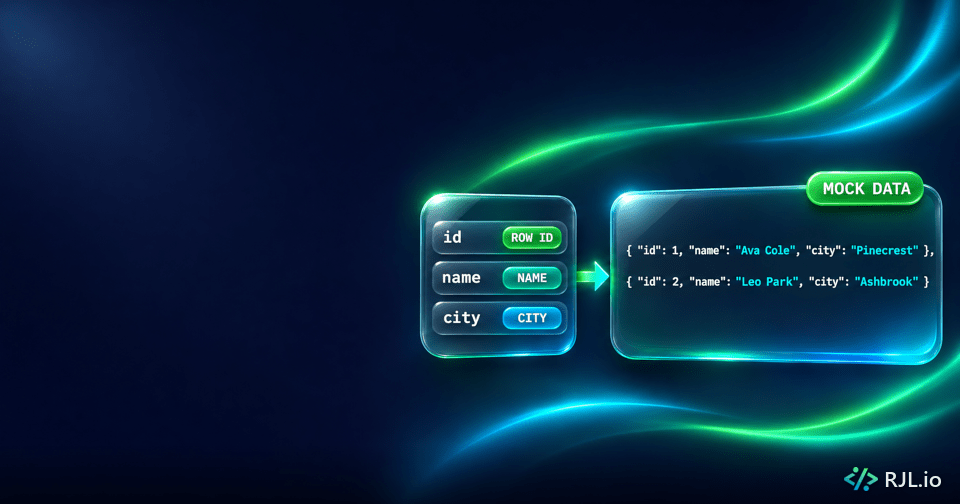
Mock Data Generator Tool
Columns
Name, username and email columns in one row describe the same fictional person. Use the arrows to reorder; the output follows the column order.
Seed used:
All of it is fictional. Emails use the reserved example.com, example.org and example.net domains, phone numbers sit in the 555-0100 to 555-0199 block, and IPv4 addresses default to the documentation ranges, so no value can belong to a real person or machine.
Common Use Cases
Seed a Dev Database
Pick the SQL INSERT output, set your table name and quoting style, and paste the statements into a local database. Batches keep each statement a sensible size.
Demos and Screenshots
Fill a table, a dashboard or a mockup with believable rows that are safe to show on a projector, in a README or in a sales deck.
Pagination and Load Checks
Ten thousand rows is enough to test paging, sorting, search boxes and slow queries. A seed gives every teammate the same dataset.
API Fixtures and Mocks
Export a JSON array that matches your response shape and drop it into a mock server, a Storybook story or a unit test fixture.
Import and Spreadsheet Tests
Build a CSV with quoted commas, empty cells and CRLF endings to test an importer, or a spreadsheet formula, before real data touches it.
Teaching SQL and Data
Hand students a table with dates, amounts, statuses and a few empty values, so joins, filters and NULL handling have something real to bite on.
Column Types and Safety Rules
People
First, last and full name, username, email on a reserved example domain, and a phone number in the fictional 555-01XX block in three formats.
Places
Street address, city, US state (abbreviation or full name), five-digit ZIP and country. Cities are invented names, and ZIP codes are random digits that do not match the city.
Business
Company names built from invented parts, and job titles from a list of 30 common roles.
Identifiers
A row ID with your own start and step, and version 4 UUIDs with the correct version and variant bits.
Numbers and Time
Integer and decimal ranges, booleans with a true percentage, dates as YYYY-MM-DD and date-times as UTC ISO 8601, all inside the range you set.
Text and Web
Lorem sentences, URLs on example domains, IPv4 addresses, hex colors, a constant value, or a pick from your own list.
Empty Values
Every column has an Empty % setting. Those cells become null in JSON, an empty cell in CSV and NULL in SQL. Changing it never reshuffles the other columns.
Seeded Randomness
The same seed, columns and row count give the same data every time. With no seed, a random one is drawn from the browser's secure generator and shown, so you can reuse it.
What It Does Not Do
Values are uniformly random. There are no foreign keys between tables, no realistic distributions, and no matching of city, state and ZIP. It is test data, not a simulation.
Frequently Asked Questions
No. Names are random pairings from lists written for this tool, so a row is a made-up combination, though a name can match a real person by chance, as any common name does. Emails, phone numbers and web addresses are built from ranges that are reserved so they cannot belong to anyone. Cities are invented names, and a few may coincide with a real place.
Those three domains are reserved by the internet standards (RFC 2606 and RFC 6761) for documentation and testing. They never receive mail, so a test that sends to one of these addresses cannot reach a stranger. Phone numbers follow the same idea: the 555-0100 to 555-0199 block is set aside for fiction, and the documentation IPv4 ranges are reserved for examples.
It starts the random number generator at a fixed point, so the same seed with the same columns and row count produces exactly the same rows. Share the seed with a teammate, or put it in a bug report, and they get your dataset. With the seed box empty, a random seed is chosen for each run and shown under the box, so you can copy it later.
It will for as long as the word lists and column rules stay the same, but a later version may add names or change a rule, and then an old seed would give different rows. If you need a dataset to stay byte-for-byte identical for years, download it and keep the file instead of relying on the seed.
Up to 10,000 rows and 50 columns per run. Ten thousand rows of the Users preset generates in well under a second and is a few megabytes of JSON. The limit keeps the page responsive on a phone. For more, generate several files with different seeds and combine them.
By RFC 4180. A cell is wrapped in double quotes when it contains the delimiter, a double quote, a line break, or a space at either end, and any double quote inside is doubled. An empty string is written as two quotes and a null as nothing at all, so a reader can tell them apart. You can choose comma, tab or semicolon, a header row, and LF or CRLF line endings.
PostgreSQL and SQLite with the standard style, MySQL and MariaDB with backtick quoting, and SQL Server with square brackets. Table and column names are quoted, single quotes in text are doubled, MySQL backslashes are escaped, null becomes NULL and booleans become TRUE and FALSE (1 and 0 for SQL Server). A table name such as public.users is split into quoted parts. The statements are plain multi-row INSERTs with no CREATE TABLE, so the table must already exist.
Yes. Within one row, the first name, last name, full name, username and email columns all draw from the same made-up person, whatever order the columns are in, so a record reads as one individual. If you add two first-name columns in the same table they will hold the same value. Use a pick-from-list column when you need an independent value.
For paging, sorting, import and display tests, yes. For analytics or query-planner work, be careful: every value is picked uniformly at random, so there are no popular items, no seasonal peaks and no relationships between tables. Skewed data changes how indexes and caches behave, so use a copy of anonymized production data when the shape of the data matters.
No. The columns you design, the lists you type and every generated row stay in your browser's memory and disappear when you close or reload the tab. Nothing is saved to cookies or local storage, and nothing is uploaded. The tool needs no account and works offline once the page has loaded.
Why We Built This Mock Data Generator
Every project needs sample data sooner or later, and the shortcut of copying a slice of production is how personal data ends up in screenshots, test databases and bug reports. Fake data fixes that, but most generators either fake it badly or ask you to install a large library to get a list of names. We wanted a page where you describe the table you need, press a button, and get rows you can paste straight into a database, a spreadsheet or a test file.
Safety is built into the generator, not left to chance. Emails only use the reserved example domains, phone numbers only use the fictional 555-01XX block, and the default IP addresses come from the documentation ranges, so a test run can never email, call or probe a real person or server. The seeded generator makes datasets repeatable, and everything runs in your browser, so the columns you design never leave your device.
The Mock Data Generator is part of RJL.io's collection of free developer tools. For one kind of value at a time, try the Address Generator, the Credit Card Generator, the IP Address Generator or the UUID Generator. Convert and clean the result with the CSV to JSON Converter and JSON Tools.