HTML Entity Encoder
And Decoder
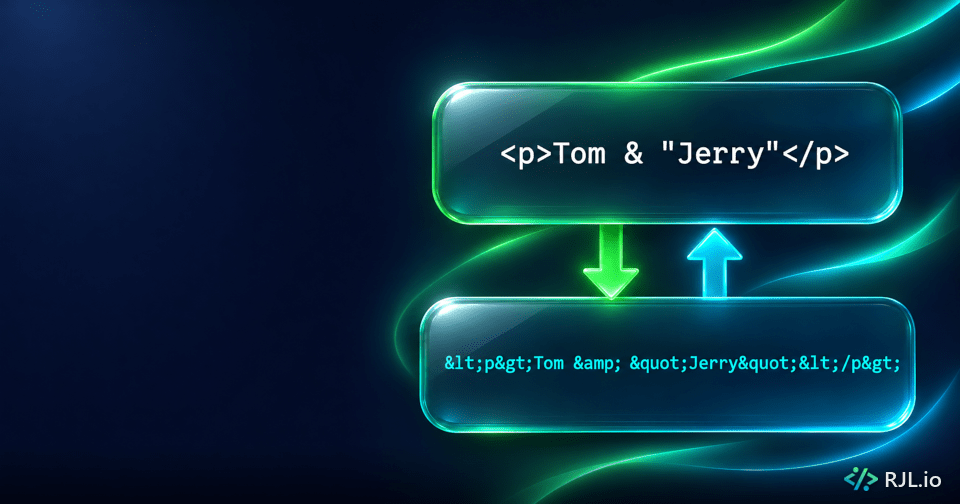
Escape markup for pasting, decode it back. Encodes to named, decimal or hex entities, escapes just the five special characters, all non-ASCII text or every character, and decodes every entity in the HTML standard using your browser's own parser. 100% client-side. Zero data stored.
HTML Entity Encoder Tool
Encoding options
Named output falls back to a decimal number for a character with no standard name. The apostrophe is written as ' unless you choose ', which HTML 4 does not define.
Common Use Cases
Show code in a web page
Paste a snippet of HTML into documentation or a blog post without the browser treating it as real markup.
CMS and email templates
Fix quotes, ampersands and accented letters before pasting into a CMS field or an email template that mangles them.
Attribute values
Put text containing quotes into a title, alt or data attribute without ending the attribute early.
Read scraped or exported text
Turn text full of &, ’ and back into readable characters after a scrape, a feed or a database export.
ASCII-only systems
Encode every non-ASCII character so text survives an old system, an ASCII-only config file or a tool with no UTF-8 support.
Debug double encoding
Spot text that was encoded twice (&amp;) by decoding it one level at a time, and find references a browser would repair or ignore.
Entity Reference
| Character | Named | Decimal | Hex | Escape it when |
|---|---|---|---|---|
| & | & | & | & | Always. An ampersand starts every entity, so a bare one can be misread. |
| < | < | < | < | In text and attribute values. It starts a tag. |
| > | > | > | > | Good practice in text; harmless to escape everywhere. |
| " | " | " | " | Inside a double-quoted attribute value. |
| ' | ' (HTML5, XML) | ' | ' | Inside a single-quoted attribute value. Prefer the number: HTML 4 has no '. |
Named, decimal, hex
All three mean the same character: ©, © and © are each the copyright sign. Names are easiest to read; numbers work for every character, including the thousands that have no name.
Decoding is exact
The decoder is your browser's own HTML parser, so it knows all 2,125 names in the HTML standard, including ones that decode to two characters and old names written without a semicolon. The table below lists the most common 253.
Numbers a browser repairs
�, surrogates and anything above U+10FFFF become U+FFFD, and € to Ÿ are read as Windows-1252, so – is an en dash. The decoder shows each one it finds so you can fix the source.
What this tool is not
It escapes text for HTML content and attributes. It is not a security filter: script blocks, style blocks and URLs follow different rules, so use an auto-escaping template engine for anything that handles untrusted input.
Do you need to encode accents?
Not on a modern page: save the file as UTF-8, declare it, and write the characters directly. Encode non-ASCII only for systems that cannot carry UTF-8 reliably.
Line breaks in decoded text
As in any HTML document, the parser reads a Windows line break as a single line feed, so decoded text always uses LF line endings.
Common named entities
| Char | Named (click to copy) | Decimal | Hex | Description |
|---|
Frequently Asked Questions
An entity, or character reference, is a way to write a character in HTML using only plain characters. It starts with an ampersand and ends with a semicolon, such as & for an ampersand, © for the copyright sign or 😀 for an emoji. The browser replaces it with the character when it reads the page.
Five: the ampersand, the less-than sign, the greater-than sign, the double quote and the single quote. The ampersand and less-than sign matter everywhere in text, and the quotes matter inside attribute values. Every other character can be written directly in a UTF-8 page.
They produce the same character. A named entity such as é is easy to read but exists only for some characters. A decimal reference such as é and a hex reference such as é use the character's Unicode number and work for every character, including emoji and scripts with no name.
Use ' unless you know the page is HTML5 or XML. The name ' was added in HTML5 and XML and does not exist in HTML 4, so an older parser or email client can show it as literal text. The number works everywhere, and this tool writes it by default. Tick the apostrophe option to get ' instead.
Not if the page is saved and served as UTF-8: write the characters directly. Encode them only when the text has to pass through something that cannot carry UTF-8 reliably, such as an old email system, an ASCII-only configuration file or a CMS field that corrupts accents. Choose "Special + all non-ASCII" for that.
All of them. Decoding uses your browser's own HTML parser inside a detached text box, so every one of the 2,125 names in the HTML standard works, as do decimal and hex numbers, and the legacy names that browsers accept without a semicolon. A name the standard does not define is left as text and listed so you can see it. Input is never inserted into the page as markup.
Numbers from 128 to 159 are control characters in Unicode, but old pages used them for Windows-1252 punctuation, so the HTML standard maps them: – is an en dash and € is the euro sign. Zero, surrogate halves and numbers above 1,114,111 become the replacement character. The tool lists each one so you can correct the source.
It stops text that is already partly encoded from being encoded twice. Without it, & becomes &amp; because the ampersand is escaped again. With it, a complete, valid entity is kept as it is and only stray ampersands, such as the one in R&D, are escaped.
Not on its own. Escaping the five characters protects text content and quoted attribute values, but a script block, a style block, an unquoted attribute and a link address each follow different rules. For anything that handles untrusted input, use a template engine that escapes by context. This tool is for hand-editing and inspecting text.
No. Encoding and decoding both run in your browser with JavaScript. Nothing you paste or open is uploaded, logged or saved, so it is safe to use with private markup, templates and customer text.
Why We Built This HTML Entity Encoder
Sooner or later every web page meets a character it cannot carry: an ampersand in a company name, a quote inside an attribute, a snippet of HTML that has to be shown rather than run, or a block of text that arrives full of & and ’. Most entity tools do half the job, with a short list of names that misses most of the standard and a decoder that gives up on anything it was not taught. We built this one to do both directions properly.
Encoding lets you choose exactly how much to escape and in what style, and keeps existing entities from being encoded twice. Decoding hands the work to your browser's own HTML parser, in a detached text box where nothing becomes markup, so every name in the standard works and the odd cases, such as old Windows-1252 numbers and names without a semicolon, behave exactly as they would on a real page. Everything happens in your browser, so your text never leaves your device.
The HTML Entity Encoder is part of RJL.io's collection of free developer tools. For other encodings, try the URL Encoder, the Base64 Encoder and the SVG URL Encoder, tidy markup with Pretty Print, or test a pattern against your text with the Regex Tester.