CSS Cubic Bezier Generator
Drag the Curve, Compare the Motion
Drag a curve and copy the easing. Move two control points (y may overshoot), compare it against another curve in a live animation, then copy transition-timing-function, animation-timing-function or a Tailwind value. 100% client-side. Zero data stored.
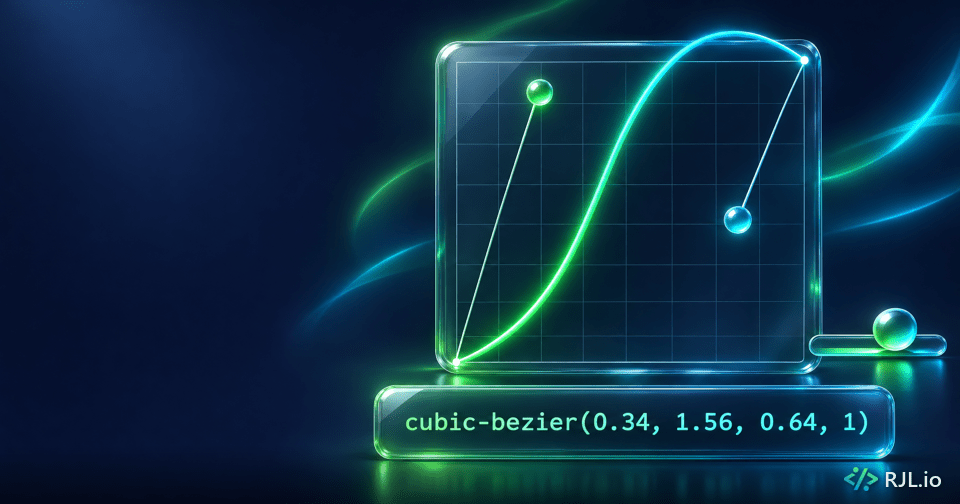
CSS Cubic Bezier Generator Tool
Shape an Easing Curve
Curve editor
The dashed square is the 0 to 1 range. x stays inside it; y may go above or below it for overshoot. Arrow keys move a point by 0.01, Shift with an arrow by 0.1.
Presets
Compare the two curves
Drag Time to see how far along each curve is at any moment, without any movement on its own.
transition-timing-function
animation-timing-function
Tailwind CSS
Tailwind has no utility for a custom curve, and its built-in ease-in, ease-out and ease-in-out are different curves from the CSS keywords, so this is an arbitrary value. It works in versions 3 and 4.
Whole rule with duration
Common Use Cases
Buttons and Hover Effects
Give a hover or press a quick start and a soft landing with an ease-out curve instead of the flat default.
Menus, Modals and Drawers
Slide panels in fast and settle slowly, and leave faster than they arrive so the interface feels responsive.
Overshoot and Anticipation
Pull a control point above 1 for a small overshoot, or below 0 to wind up before moving, like the back easings.
Compare Two Easings
Run your curve beside ease or linear on the same duration and see which one feels better before you ship it.
Matching a Design File
Paste the cubic-bezier value from a design tool or a style guide, check it visually and copy it in the form your code needs.
Tailwind Projects
Get an arbitrary-value class with the curve and duration for projects where the built-in ease utilities are not the curve you want.
Cubic Bezier Syntax Reference
The Four Numbers
| Number | Range | What it controls |
|---|---|---|
| x1 | 0 to 1 | Time position of the first control point |
| y1 | any number | Progress at the first control point; sets how steeply the start moves |
| x2 | 0 to 1 | Time position of the second control point |
| y2 | any number | Progress at the second control point; sets how the end settles |
The curve always starts at (0, 0) and ends at (1, 1). This editor limits y to between -1 and 2.
The CSS Keywords
| Keyword | Same as |
|---|---|
| ease | cubic-bezier(0.25, 0.1, 0.25, 1) |
| ease-in | cubic-bezier(0.42, 0, 1, 1) |
| ease-out | cubic-bezier(0, 0, 0.58, 1) |
| ease-in-out | cubic-bezier(0.42, 0, 0.58, 1) |
| linear | cubic-bezier(0, 0, 1, 1) |
When your curve matches one of these exactly, the CSS output uses the keyword because it is shorter.
Named curves are approximations
The sine, cubic, quart, expo and back presets use the widely shared easings.net control points. They approximate the matching math functions; they are not identical to them.
Not a spring or a bounce
A single cubic-bezier can overshoot once, but it cannot oscillate. A real bounce or spring needs several keyframes or the CSS linear() function.
Steps are not covered
steps(), step-start and step-end are different timing functions. This tool writes and reads cubic curves and keywords only.
Related tools
Build the gradient that moves with the Gradient Generator and add depth with the Box Shadow Generator.
Pro Tip: URL Parameters
Open the editor with a curve already loaded. Use ?preset= with any preset name, or give the four numbers with ?c=, a comparison curve with ?b= and the duration in milliseconds with ?d=. For example: /cubic-bezier-generator/?preset=ease-out-back or /cubic-bezier-generator/?c=0.34,1.56,0.64,1&b=ease&d=800
c is x1,y1,x2,y2 and b takes the same four numbers or a preset name. x values are kept between 0 and 1 and y between -1 and 2. The link in your address bar updates only after you change something, and the Copy Link button builds it from your current curve.
Frequently Asked Questions
Why We Built This Cubic Bezier Generator
Easing is the difference between motion that feels mechanical and motion that feels right, but a cubic-bezier is hard to write from memory. Four numbers describe a curve you cannot picture, so most people copy a value, paste it and hope. We built an editor where you drag the two control points, watch the curve change, and run it against a second curve so you can tell with your eyes which one is better.
The output is the shortest valid form: a keyword when the curve is exactly ease, ease-in, ease-out, ease-in-out or linear, and trimmed numbers otherwise. You get the transition and animation declarations, a Tailwind arbitrary value, and a whole rule with your duration. Everything runs in your browser, so nothing you design is uploaded, and the animation stops and gives way to a static view when your device asks for reduced motion.
The Cubic Bezier Generator is part of RJL.io's collection of free developer tools. Add depth with the Box Shadow Generator, build a moving background with the Gradient Generator, and shape elements with the Clip Path Generator.